
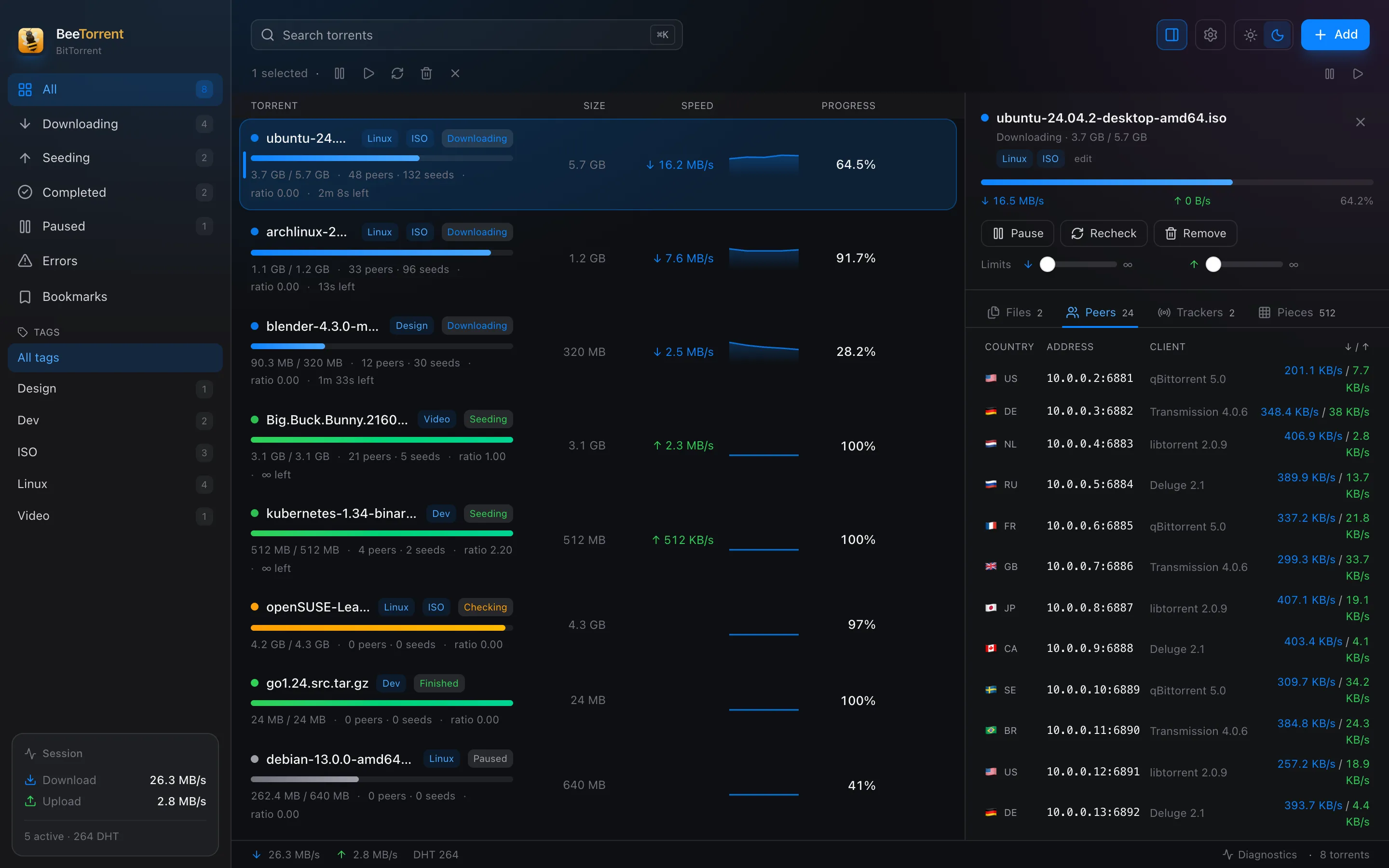
Two columns. Zero tab-switching.
Keep the list on the left and the details on the right. Select a torrent and inspect files, peers, trackers and pieces without losing your place.
A native macOS client for people who actually manage their downloads. Two columns, tags, bookmarks and a lock screen — in one quiet window.
No account. No ads. Your data stays on your Mac.
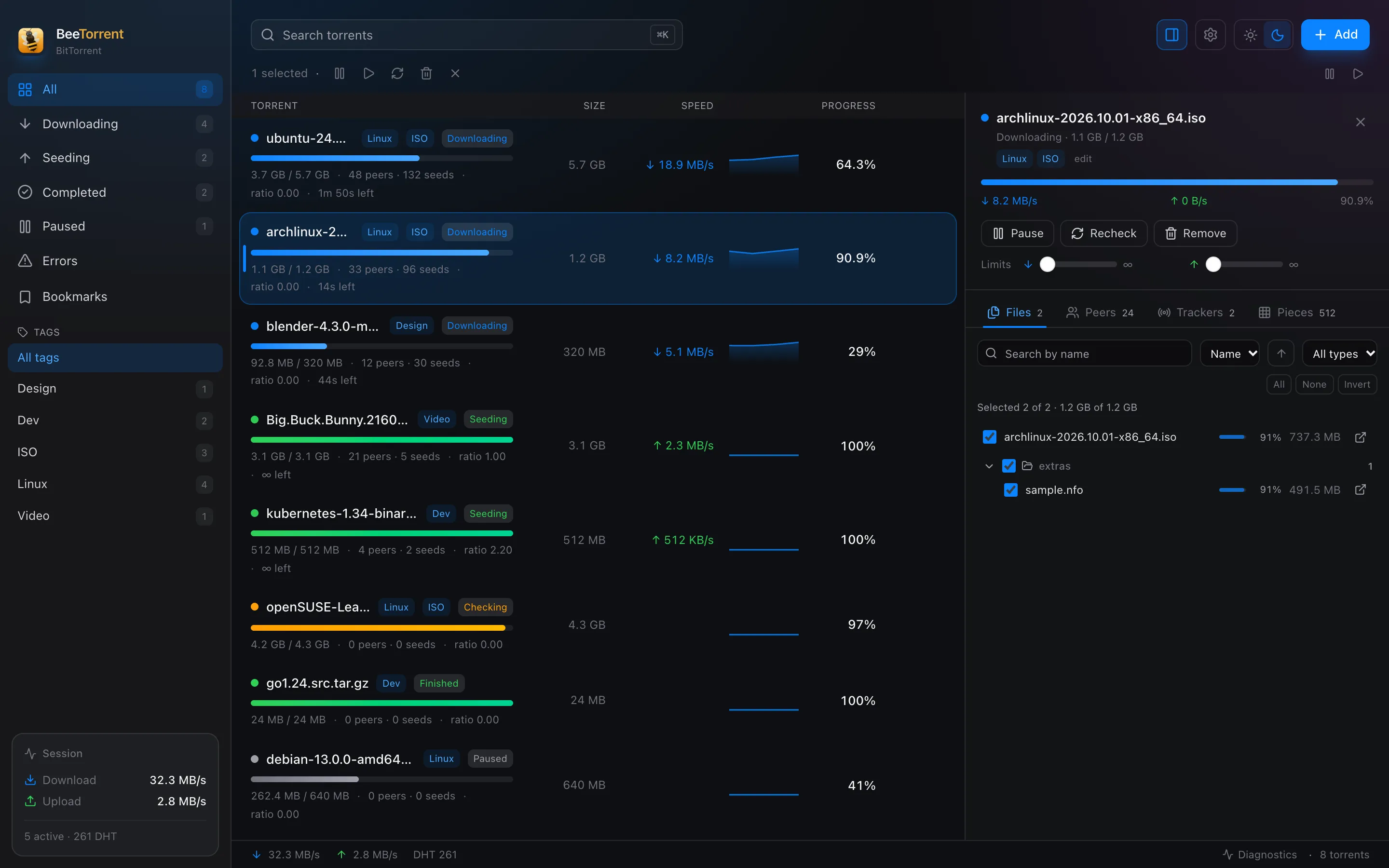
The whole session in one window: torrents, files, peers and trackers, side by side.
Why BeeTorrent
Not a web page in a window. A focused macOS app with the controls you reach for every day.
Keep the list on the left and the details on the right. Select a torrent and inspect files, peers, trackers and pieces without losing your place.
A lightweight Rust shell and a C++ libtorrent engine. No browser runtime doing a desktop app’s job.
Up to eight tags per torrent. Filter across them, combine filters, and keep one torrent in several contexts at once.
Save magnets and .torrent files with notes and folders. Keep everything organised and in sync across Macs.
PIN-lock the whole app or just bookmarks. Downloads keep running while the window is locked.
Safe mode, quarantine, missing-data detection and clear recovery actions instead of silent failures.
The two-column workspace
Most clients make you open a separate inspector, a modal or a new window. BeeTorrent keeps the context in view, so a quick check never turns into a detour.
Bookmarks
Save magnets and .torrent files now, start them later. Folders keep the shelf tidy; notes keep the context. And your bookmarks can follow you to every Mac.
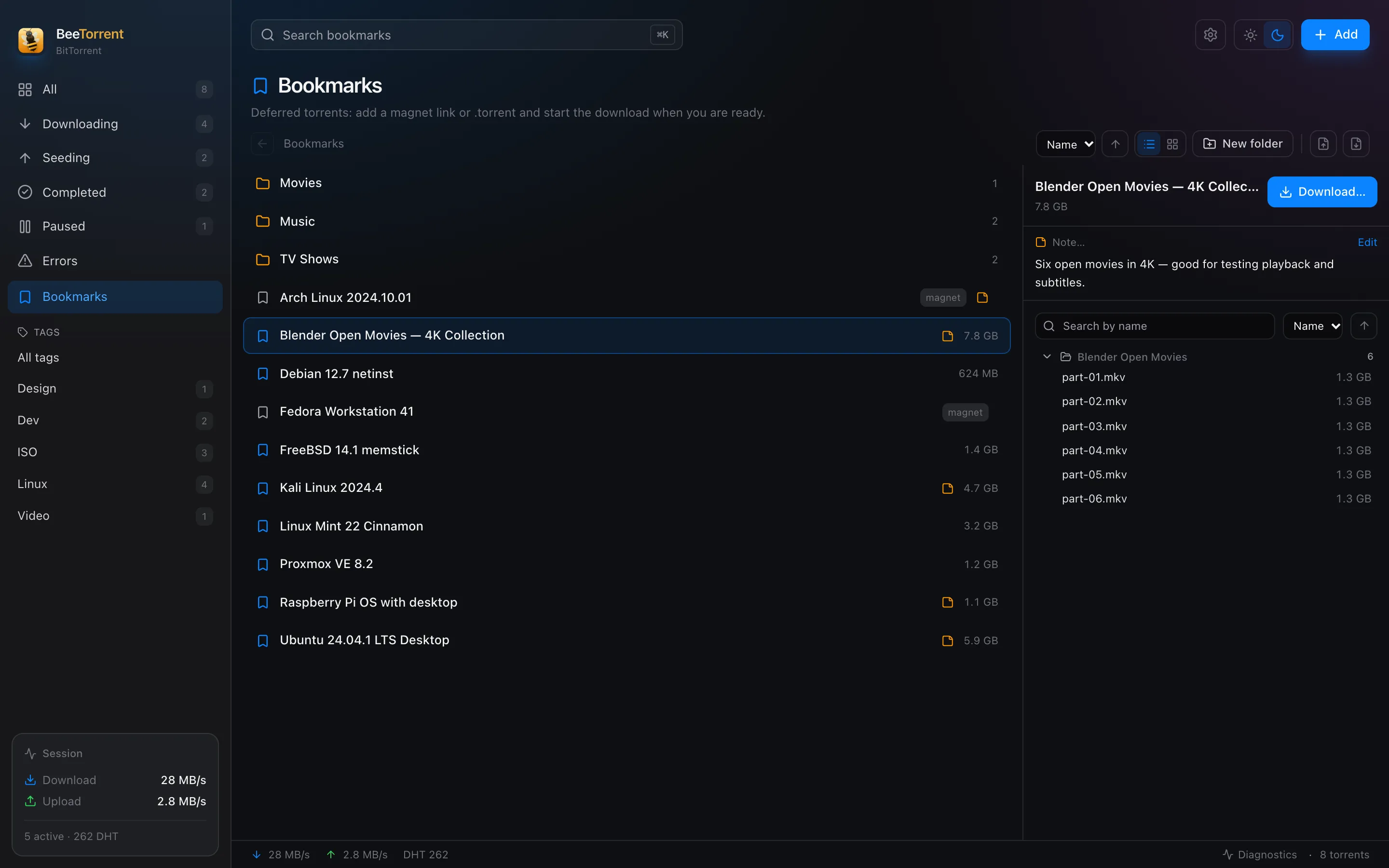
Nested folders and drag-and-drop. Organise by project, season or whatever fits — move a bookmark without opening a dialog.
Audio language, checksums, why you saved it — attach context to the bookmark and see it in the inspector.
A bookmark lives even before metadata arrives. BeeTorrent fetches the details when you start the download.
Sync bookmarks through a folder your cloud client already handles. No BeeTorrent account, no server of ours, no extra subscription.
A closer look
Dark by default, with a light theme when the sun is out.
Privacy, not encryption
The PIN is a privacy screen for anyone who walks up to your Mac — not disk encryption. The background daemon keeps downloading while the interface is locked. Forgot the PIN? Reset it without losing a single torrent.
Download
Native builds for Apple Silicon and Intel. The first public release is live; Windows and Linux are next.
arm64 · macOS 13 or later
0downloads
Downloadx86_64 · macOS 13 or later
0downloads
Downloadx64 installer · in development
0downloads
Coming soonAppImage / .deb · in development
0downloads
Coming soonApple Developer notarization is being arranged. Until then, macOS may ask you to confirm the developer on first launch.
macOS 13 Ventura or later. Apple Silicon or Intel.
Size: 6.3 MB
af4b0109058a377f4e62f7546aed14d2b26f9f4cdac8491c32996c1eaf0da490Changelog